中文 · English
anlander SOLUTIONS

Two channels, one travel SIM catalogue.

Customers buy SIMs in your shop, your app or your website. You set the retail price and you collect the payment. anlander SOLUTIONS deducts the wholesale price and activates the eSIM or physical SIM.

Channel 1: Retail stores

Shops, counters, travel agency branches. A customer walks in and your staff activate a SIM on the POS in a few taps.

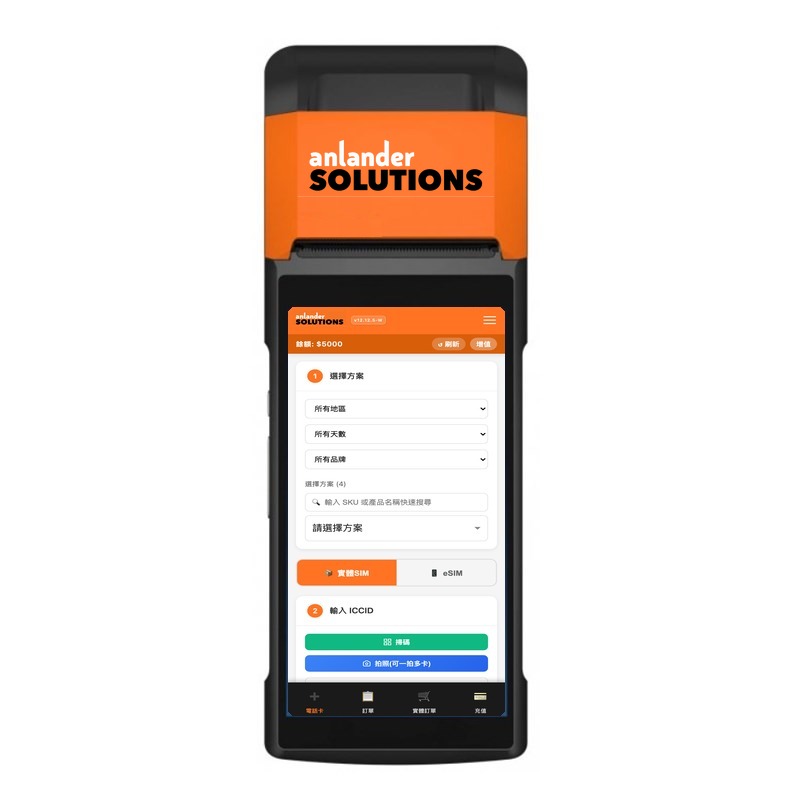
Retail POS terminal showing the SIM page
RETAIL POS

Customers buy in your shop

  1. Staff log in, pick the destination and plan, and see your cost on screen.
  2. Collect the retail price from the customer — cash, FPS, whatever you accept.
  3. eSIM: the system returns a QR code to show or print on a receipt.
  4. Physical SIM: scan or type the ICCID on the card; the plan is written to that card, then hand it over.
  5. The same account checks cards, reprints receipts, tops up the wallet and orders blank SIMs into stock.

The terminal screen is the SIM page: pick a plan, physical SIM or eSIM, scan the ICCID.

Channel 2: Apps and websites

App developers and website owners. Customers buy inside your product; you place the order through the Partner API.

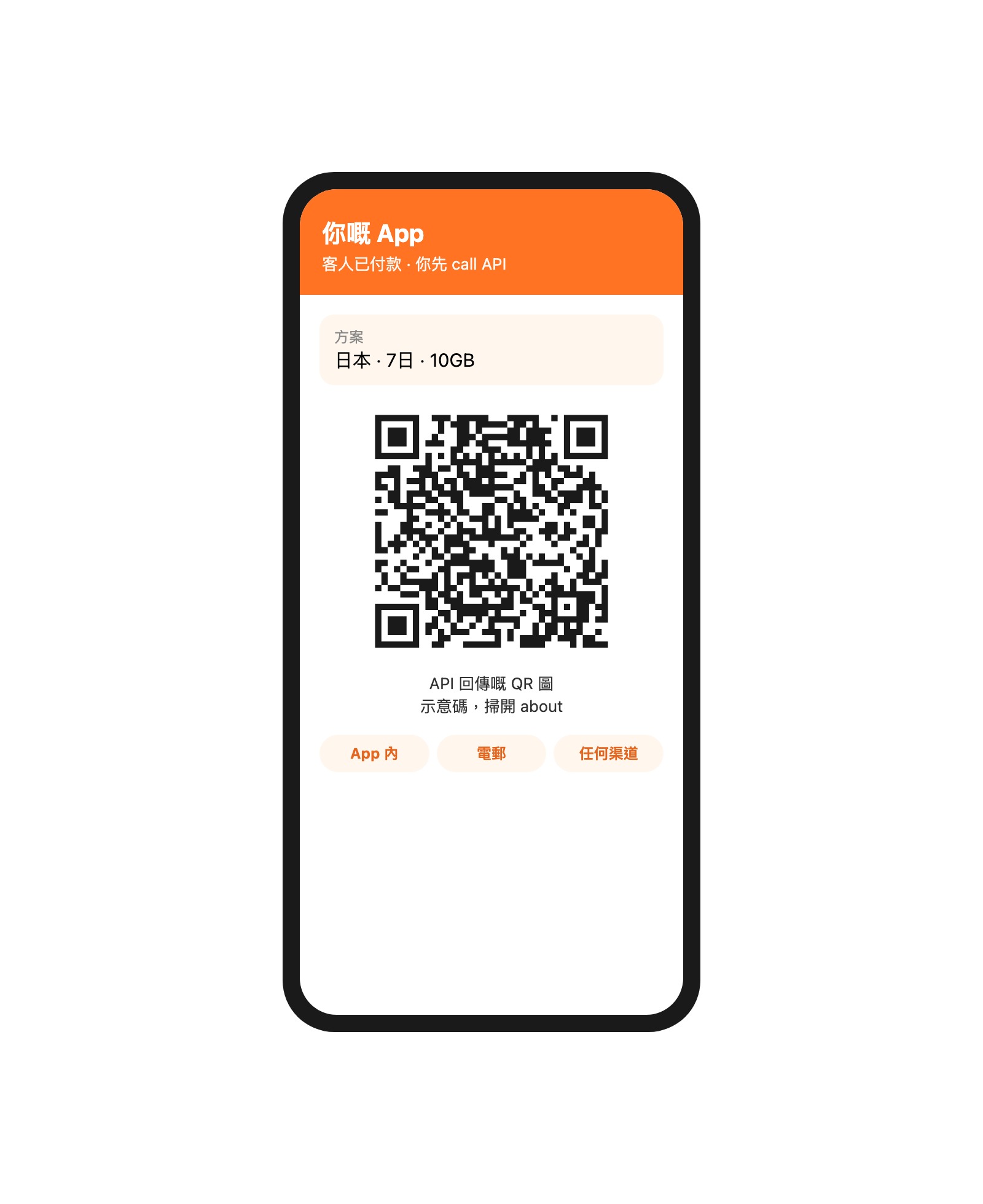
Phone illustration: after payment in an app or website, the Partner API returns an eSIM QR image
PARTNER API

Customers buy in your app or website

  1. Pull the catalogue: plans, days, data, suggested retail and your cost.
  2. The customer pays in your app or website, through your own payment provider.
  3. Call the API to place the order. The eSIM QR image comes back; deliver it in your app, by email or on any channel.
  4. With a physical SIM's ICCID, the same order call writes the plan to that card.
  5. There is a sandbox: real catalogue, simulated activation — integrate and test first.

The phone is an illustration. Its QR opens this about page, not an eSIM install code. A real order returns the image your customer uses to install.

Why work with us

You have the customers and the channel. We have the catalogue, the wholesale price and the activation. The money stays with you.

YOU DECIDE

Your retail price, your checkout

Suggested retail is only a guide. Sell above it and the difference is yours. Shops take cash, apps take their own payments — we never touch your customer's money.

ONE CATALOGUE

No separate accounts for in-store and online

One prepaid wallet, one set of plans, eSIM and physical SIM together. Shops use the POS, apps and websites use the API — or both.

WE ACTIVATE

We write the SIM and issue the QR

eSIM orders return a QR image and activation code. Physical SIMs are written to the card you provide. No supplier contracts, no stock of different plans to hold.

SEE YOUR NUMBERS

See your cost first, then decide

The POS screen and the API catalogue both show your cost. See the wholesale price, then decide what to sell.

How easy are the POS and the API

Retail stores can sell the same day. Apps and websites get a sandbox — real catalogue, simulated activation — to integrate first.

THE POS

Staff log in and sell — no code

Open the SIM page on the POS terminal. Three steps: pick a plan, scan the ICCID or choose eSIM quantity, submit. Receipts, card lookup and top-ups live in the same account.

  1. Open an account and fund the prepaid wallet.
  2. Log in, pick region and plan, see your cost.
  3. Take the customer's payment and submit. eSIM shows a QR instantly; physical SIMs are written after scanning.
Sell same dayScan to activate SIMsPrintable receipts
THE API

Four calls to integrate

Base: api.solutions.anlander.com/api/partner/v1. You use your own checkout. A successful order returns the QR image; deliver it on any channel.

  1. GET /products — SKU, days, data, suggested retail, your cost.
  2. The customer pays in your app or website.
  3. POST /orders: API key, HMAC, Idempotency-Key; timeout ≥ 120 s.
  4. Get the QR / activation code / ICCID; reconcile with webhooks.
Same-day sandboxsk_test_ never charges60 req/minHKD

How big is the catalogue

Full-catalogue snapshot, 2026-10-12: 9,600+ plans across 155 countries and regions. After you log in you only see the plans and cost your account is authorised for. Retail stores and apps/websites share this catalogue.

9,600+plans in the full catalogue. Your actual list is what the API or POS shows.
155countries and regions. Every destination in the catalogue is listed below.
eSIMand physical SIM together. One wallet, one catalogue.
Afghanistan Albania Algeria Andorra Anguilla Antigua and Barbuda Antilles Argentina Armenia Australia Austria Azerbaijan Bahrain Bangladesh Barbados Belarus Belgium Benin Bhutan Bosnia and Herzegovina Brazil British Virgin Islands Brunei Bulgaria Burkina Faso Cambodia Canada Cayman Islands Chad Chile China Colombia Costa Rica Croatia Cyprus Czechia Côte d'Ivoire DR Congo Denmark Dominica Ecuador Egypt El Salvador Estonia Ethiopia Faroe Islands Fiji Finland France French Guiana Gabon Georgia Germany Ghana Gibraltar Greece Grenada Guadeloupe Guam Guatemala Guernsey Honduras Hong Kong Hungary Iceland India Indonesia Iraq Ireland Isle of Man Israel Italy Jamaica Japan Jersey Jordan Kazakhstan Kenya Kuwait Kyrgyzstan Laos Latvia Liechtenstein Lithuania Luxembourg Macau Madagascar Malawi Malaysia Maldives Mali Malta Mauritius Mexico Moldova Mongolia Montenegro Montserrat Morocco Nepal Netherlands New Zealand Nicaragua Niger Nigeria North Macedonia Northern Mariana Islands Norway Oman Pakistan Panama Paraguay Peru Philippines Poland Portugal Puerto Rico Qatar Republic of the Congo Romania Russia Rwanda Réunion Saint Kitts and Nevis Saint Lucia Saint Vincent and the Grenadines Saudi Arabia Senegal Serbia Sierra Leone Singapore Slovakia Slovenia South Africa South Korea Spain Sri Lanka Sweden Switzerland Taiwan Tajikistan Tanzania Thailand Tunisia Turks and Caicos Islands Türkiye Uganda Ukraine United Arab Emirates United Kingdom United States Uruguay Uzbekistan Vietnam Zambia

Want to see the real cost for your account?

Email solutions@anlander.com or WhatsApp +852 6369 6869

Existing retail accounts can log in to the POS. Partner API test keys are under API settings after login.

Download the Partner API overview (PDF)